How to Login to Ping Pong Stockholm: A Complete Guide for Komvux and SFI Students

When I started my Komvux course in Stockholm, Ping Pong was the first thing my teacher told me to log into. The platform holds your courses, assignments, messages, and study tools, and you will use it every week. This guide walks through how to do your ping pong stockholm logga in, access your ping pong komvux courses, and navigate the dashboard once you are in.
Whether you are enrolled in Komvux, SFI (Swedish for Immigrants), or SIFA, Ping Pong Stockholm is where your academic life in Sweden is organized.
💡 Note: This article is based on the author’s personal experience using the services mentioned. Individual experiences may vary.
Quick Facts
- Best for: Komvux students in Stockholm (ping pong komvux access)
- Official URL: stockholm.pingpong.se
- Key Features: Course assignments, teacher messaging, and Microsoft 365 integration
- Language: The interface is primarily in Swedish, but many courses are available for international learners.
1. How to Ping Pong Stockholm Logga In
Follow these steps to complete your ping pong stockholm logga in and access your pingpong Stockholm student account:
Step 1: Navigate to the Portal
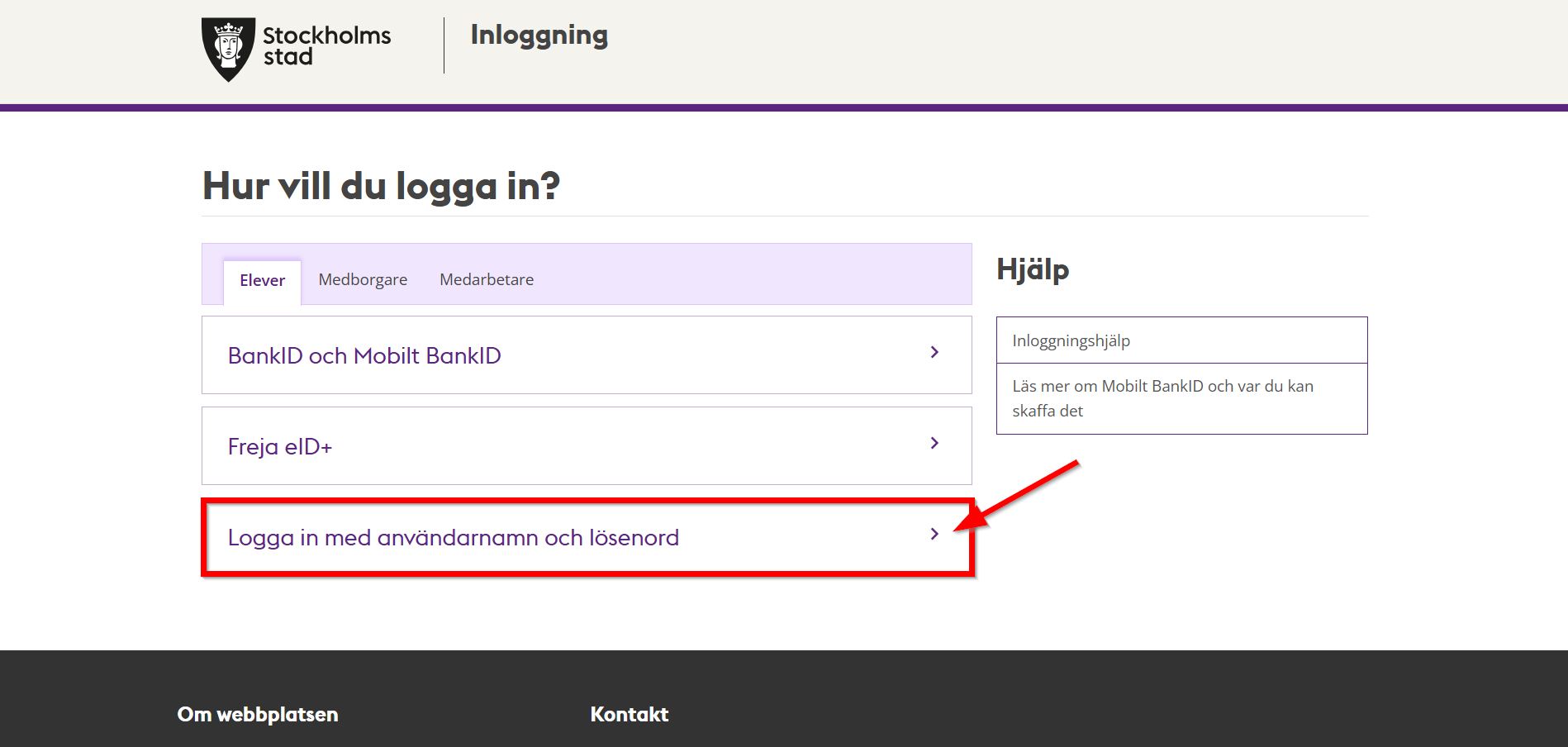 Go to stockholm.pingpong.se to start your ping pong stockholm logga in
Open your browser and go to https://stockholm.pingpong.se/.
Step 2: Choose Your Login Method
Click on the button that says “Logga in med användarnamn och lösenord” (Log in with username and password). Some institutions may also allow login via BankID.
Step 3: Enter Your Credentials
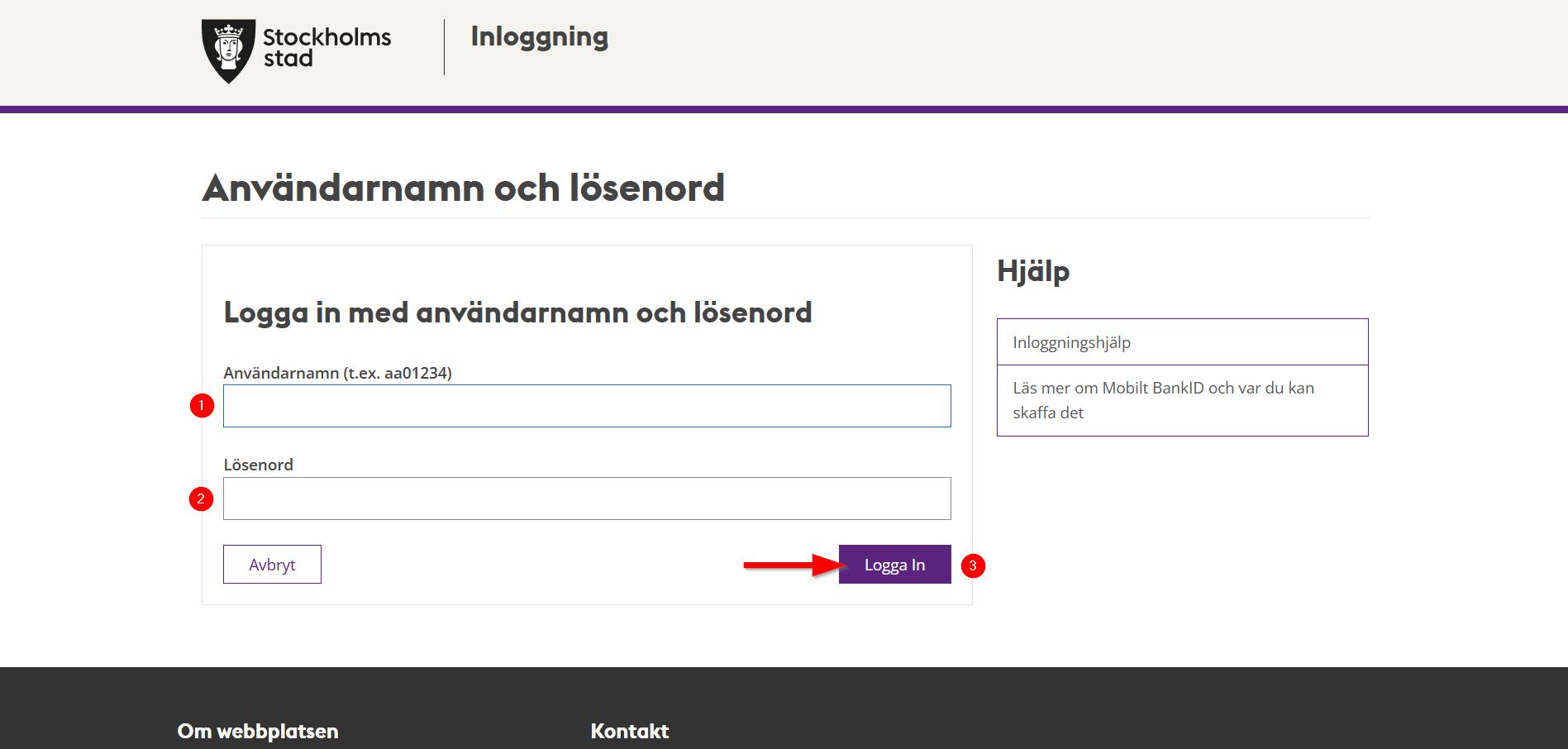 Enter your Användarnamn (username) and Lösenord (password) to complete your pingpong Stockholm login for ping pong komvux courses
- Användarnamn: This is your student username (often starting with your name or a specific code).
- Lösenord: Your school-provided password.
- Click “Logga in”.
2. Navigating the Dashboard
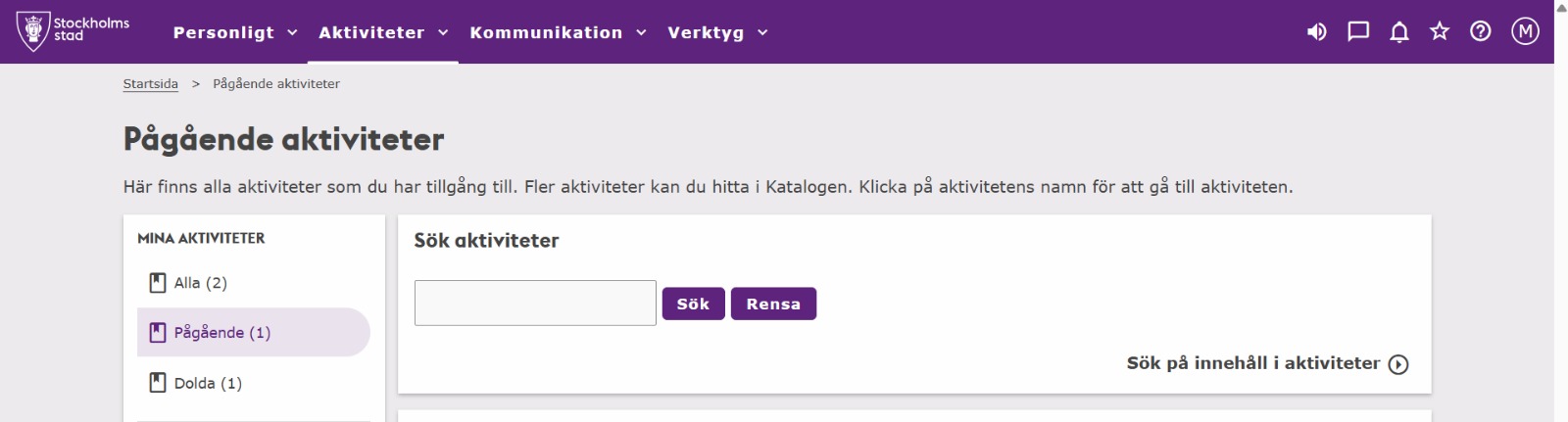 Use the Aktiviteter menu on pingpong Stockholm to browse and access your courses
Once you are logged in, the most important section is the Aktiviteter (Activities) menu.
What you can find here:
- Courses: Click on your current course to see the syllabus and modules.
- Assignments: Check deadlines and upload your homework directly to the portal.
- Notisflöde: The notification feed shows recent messages from your teachers or updates to course materials.
- Messaging: Use the built-in mail system to ask your teacher questions.
For ping pong komvux students, all these tools are available directly through your pingpong Stockholm dashboard.
3. Accessing Microsoft 365 (Email & Teams)
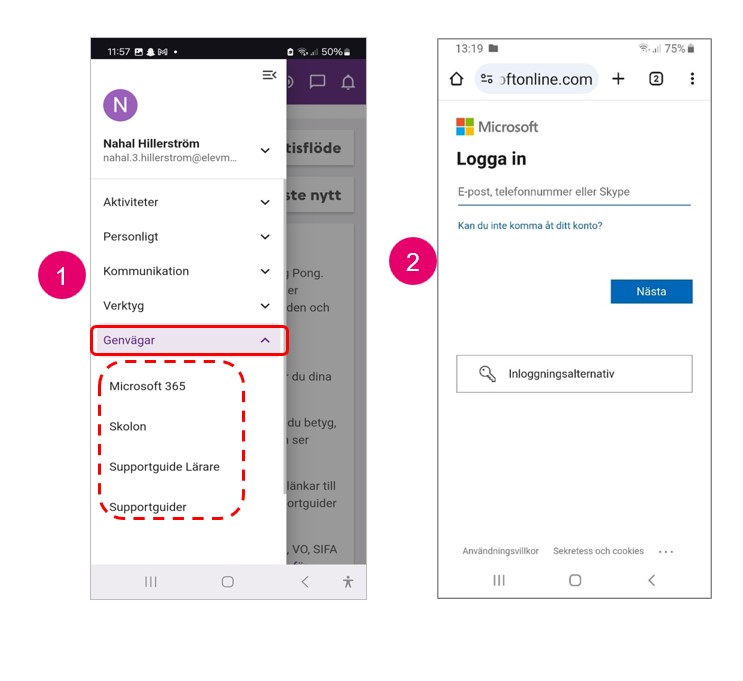 Access Microsoft 365 through pingpong Stockholm for student email, Teams, and OneDrive
Stockholm Stad provides all students with a free Microsoft 365 account. You can access it directly through Ping Pong.
How to connect:
- Click the Star Icon (Shortcuts) on the top menu.
- Select Microsoft 365.
- Log in using your student school account (usually your assigned elevmail username).
Available Apps:
- Outlook: For your official school email.
- Teams: For online classes and video meetings.
- OneDrive: To save your documents safely in the cloud.
- Word/PowerPoint: To create your school projects.
Frequently Asked Questions
I forgot my password, what should I do?
You can usually reset it via the login page if you have a registered mobile number, or you must contact your school’s administration office (Expeditionen) in person with your ID.
Why can’t I see my course in Ping Pong?
It can take 24-48 hours after your registration for a course to appear in the portal. If it’s been longer, contact your teacher.
Can I use Ping Pong on my phone?
Yes, the website is mobile-responsive, and there is also a Ping Pong mobile app available for both iOS and Android.
Log In, Stay Organised
Ping Pong Stockholm is how you stay on top of your Komvux or SFI coursework. Once you have done your first ping pong stockholm logga in and found where your courses live, the rest follows quickly. If anything breaks or a course is missing, your school’s Expeditionen office is the fastest fix.
Read More About Life in Stockholm
- Skatteverket Login via Freja eID, How to handle your taxes and personal data without a Swedish bank.
- No BankID Transactions in Sweden, How to manage your finances while awaiting your personal number.
- Explore All Education Guides, Browse our complete collection of Stockholm student resources.