
Ping Pong Stockholm: Your Guide to the Student Learning Portal
Ping Pong is the primary platform you’ll use as a student in Stockholm to access your online learning portal. It contains your courses, assignments, messages, and essential study tools. This guide provides simple steps for logging into Ping Pong Stockholm, finding course materials, and accessing vital Microsoft 365 tools.
Whether you are studying SFI (Swedish for Immigrants), SIFA, or at Komvux, this is the place where your academic journey happens.
Quick Facts
- Best for: Komvux, SFI, and SIFA students in Stockholm
- Official URL: stockholm.pingpong.se
- Key Features: Course assignments, teacher messaging, and Microsoft 365 integration
- Language: The interface is primarily in Swedish, but many courses are available for international learners.
1. How to Login to Ping Pong Stockholm
Follow these steps to access your student account:
Step 1: Navigate to the Portal
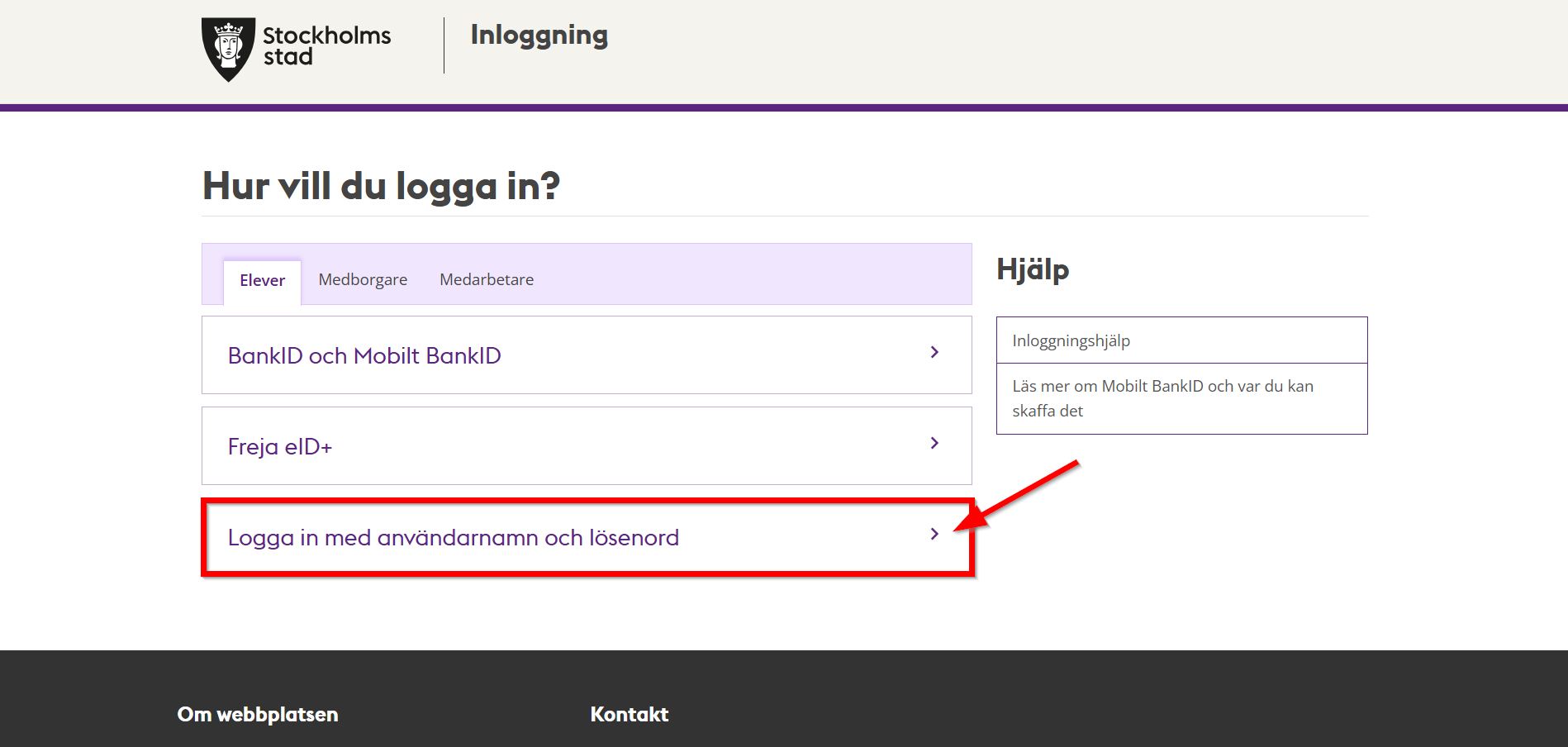
Open your browser and go to https://stockholm.pingpong.se/.
Step 2: Choose Your Login Method
Click on the button that says “Logga in med användarnamn och lösenord” (Log in with username and password). Some institutions may also allow login via BankID.
Step 3: Enter Your Credentials
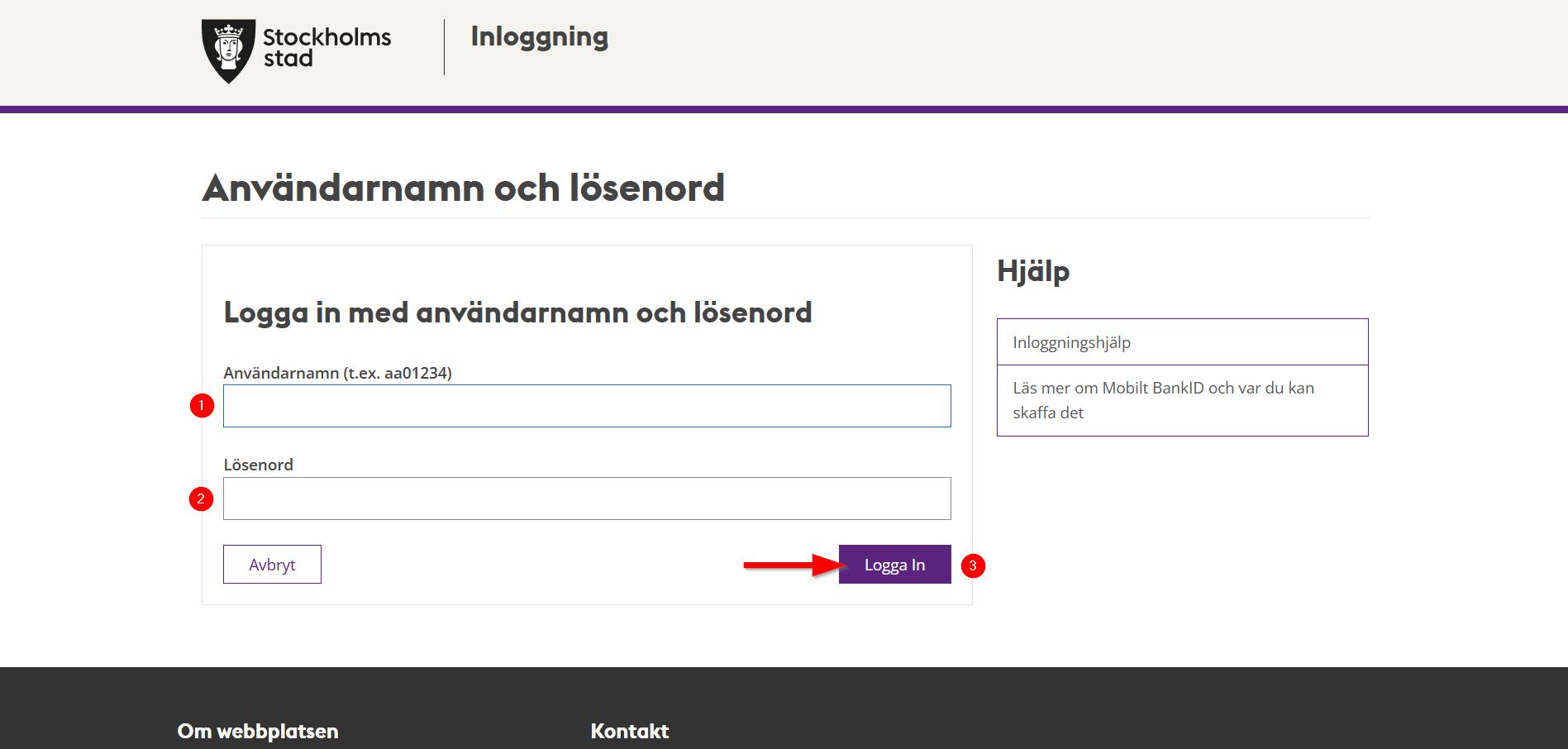
- Användarnamn: This is your student username (often starting with your name or a specific code).
- Lösenord: Your school-provided password.
- Click “Logga in”.
2. Navigating the Dashboard
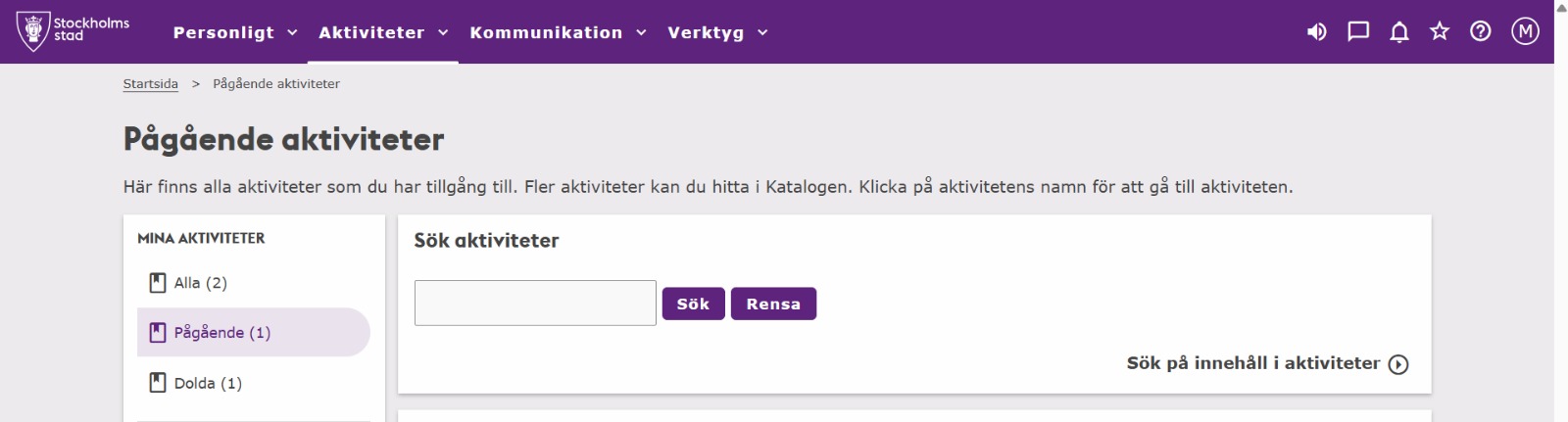
Once you are logged in, the most important section is the Aktiviteter (Activities) menu.
What you can find here:
- Courses: Click on your current course to see the syllabus and modules.
- Assignments: Check deadlines and upload your homework directly to the portal.
- Notisflöde: The notification feed shows recent messages from your teachers or updates to course materials.
- Messaging: Use the built-in mail system to ask your teacher questions.
3. Accessing Microsoft 365 (Email & Teams)
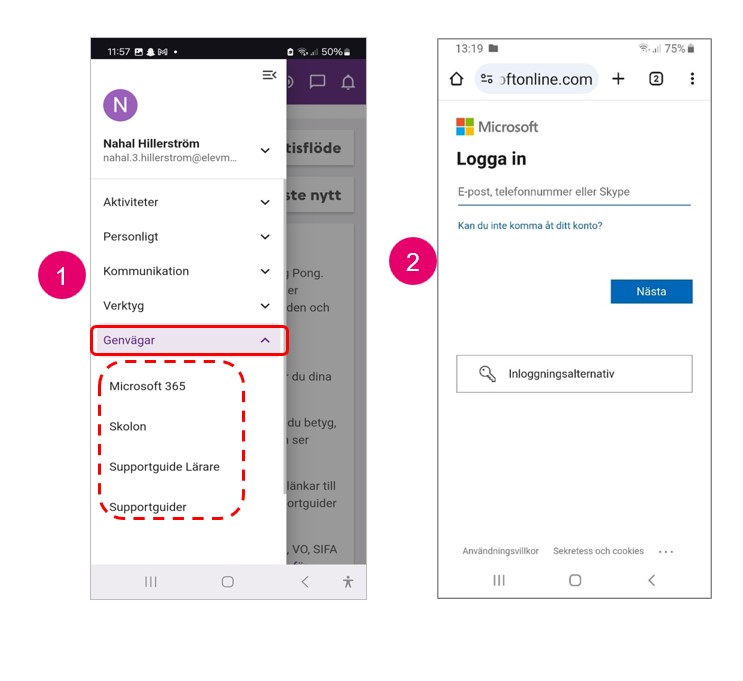
Stockholm Stad provides all students with a free Microsoft 365 account. You can access it directly through Ping Pong.
How to connect:
- Click the Star Icon (Shortcuts) on the top menu.
- Select Microsoft 365.
- Log in using your student email (usually
username@elevmail.stockholm.se).
Available Apps:
- Outlook: For your official school email.
- Teams: For online classes and video meetings.
- OneDrive: To save your documents safely in the cloud.
- Word/PowerPoint: To create your school projects.
Frequently Asked Questions
I forgot my password, what should I do?
You can usually reset it via the login page if you have a registered mobile number, or you must contact your school’s administration office (Expeditionen) in person with your ID.
Why can’t I see my course in Ping Pong?
It can take 24-48 hours after your registration for a course to appear in the portal. If it’s been longer, contact your teacher.
Can I use Ping Pong on my phone?
Yes, the website is mobile-responsive, and there is also a Ping Pong mobile app available for both iOS and Android.
Final Thoughts
Ping Pong Stockholm is an essential tool for your success as a student. By checking the portal daily and keeping up with your notifications, you’ll stay on top of your studies and maintain clear communication with your teachers. Good luck with your studies in Stockholm!
Read More About Life in Stockholm
- Skatteverket Login via Freja eID — How to handle your taxes and personal data without a Swedish bank.
- No BankID Transactions in Sweden — How to manage your finances while awaiting your personal number.
- Explore All Education Guides — Browse our complete collection of Stockholm student resources.